| |
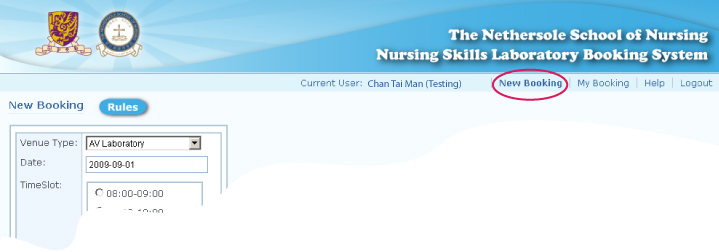
To use the 'New booking' function, click the
'New Booking' from menu bar:
There are 3 types of venue for you to book -
AV Laboratory,
Computer Laboratory and
Clinical Centre.
3.
3.1.
|
Clinical Centre
To make a new booking of a clinical centre, select the following
information and click the 'Next' button:
- select 'Clinical Centre' from the
dropdown list of 'Venue Type',
- select a date from the popup calendar
e.g. 2009-08-03
- select a time slot e.g. 14:00-15:00 |

3.2.
|
Select 'Bed Name',
'Equipment/Service', 'Skill' and 'No. of
participant', then click 'Submit'
button:
- Select a bed of a room e.g. 'ELB 607A
Bed 2'
- Select a equipment/service e.g.
Infusion pump
- Select a skill e.g. First Aid &
Bandaging
- Select no. of participant e.g. 3 |

3.3.
|
After clicking the 'Submit' button,
a message 'Done' and your booking
details will be shown on screen that
means your booking is made successfully.
You would receive a notification email
with the booking details. You
should check the booking details
carefully:
- Computing ID
- Name
- Email
- Contact Tel. No.
- Date
- Venue/Time
- Bed/Computer
- Skill
- Equipment/Service
- No. of Participant
- Registration Time |

|
|
